
20 May 2026
How can the Spark theme support learner-led journeys within your LMS?

Natalie Ann Holborow
Content Manager
Discover how Synergy Learning’s Spark LMS theme supports learner-led journeys with dedicated features.
Today’s learners want more than assigned training. Instead, they want the ability to explore content flexibly in a way that fits their role, their goal and their pace. Whether it’s building new skills, solving a problem in the moment or planning their long-term development, learners want to take ownership of what, when and how they learn. Self-led learning shifts learning from something people have to do into something they actively choose to do.
However, this isn’t always easy to do well. Without the right structure in place, self-directed learning can quickly become overwhelming. You might have a wealth of brilliant learning content, but if there are too many options, unclear pathways and a lack of guidance, learners can feel unsure of where to start or what to do next. In other words, what starts as freedom can easily turn into friction.
Why structure still matters in self-led learning
The concept of ‘scaffolding’ is defined as a temporary instructional method where the learner is given tailored support (e.g., modelling, cues or structured tools) to help guide them when necessary while still giving them the freedom to create understanding for themselves. It provides learners with a framework that helps them navigate content with confidence and offers just enough guidance to keep them moving without taking away their autonomy.
In practice, this might look like:
- ✅ Clear starting points
- ✅ Visible pathways or progress indicators
- ✅ Curated recommendations
- ✅ Timely prompts and signposts
This is exactly where a thoughtfully designed LMS experience, like Spark, can really help.
How the Spark LMS theme enables learner-led journeys
Rather than remove learner autonomy, the Spark LMS theme enhances it with intelligent guidance. Its features are built to reduce overwhelm while keeping learners in control of their own learning journeys. Here’s how.
1. Guide progress with Timeline Learning
One of the biggest barriers to successful self-led learning is not knowing what to do next, but this doesn’t mean learners want hand-holding to show them where to go.
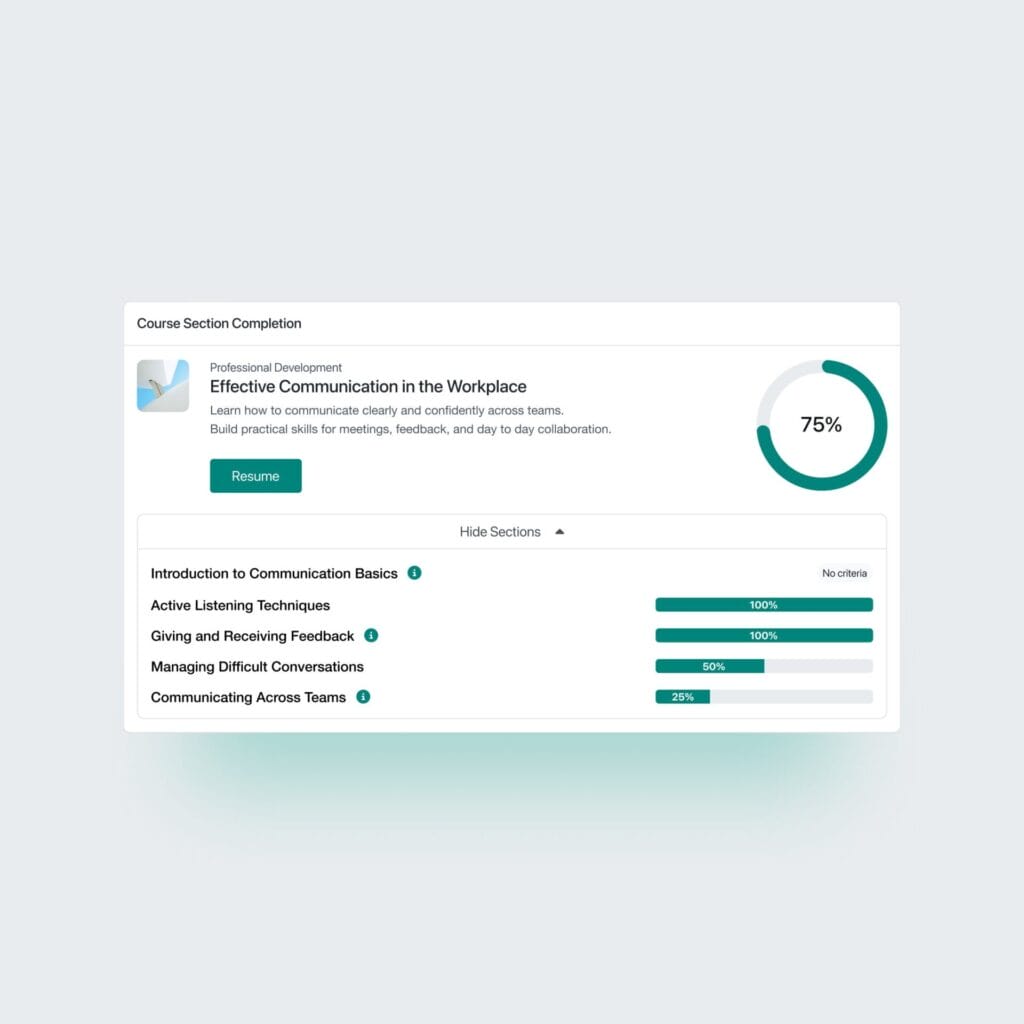
Spark’s Timeline Learning feature solves this by providing a clear, visual learning path to signpost learners. Progress indicators and a chronological structure help learners stay focused and on-track, helping to reduce decision fatigue. This is essentially scaffolding in action: structured, but never restrictive,
2. Reduce cognitive overload with Featured Courses and Featured Video

While it’s good to have a wealth of excellent content available, there’s nothing that can make a learner freeze more than an endless catalogue of course choices. This is where the Featured Courses feature in Spark helps you spotlight the most relevant or valuable content.
With a clean, card-based carousel for displaying your featured courses clearly, you can:
- ✅ Highlight key courses for specific audiences
- ✅ Promote new content or priority learning
- ✅ Direct learners towards meaningful starting points
- ✅ Showcase the most recent discussion topics from key forum activities
This subtle guidance helps learners begin their journey confidently without forcing them to learn. In addition to this, the Featured Video feature lets you surface engaging, bite-sized content that’s perfect for inspiration or quick wins. Whether it’s a welcome message or a deep-dive on a relevant topic, this feature helps learners discover content organically without trawling for hours (and inevitably logging off in frustration).
3. Signpost learning with Marketing Cards and Marketing Sections
Just because learning is self-led doesn’t mean learners are completely on their own. With Marketing Cards and Marketing Sections in the Spark LMS theme, you can create clear signposts across the platform without interrupting independent learning. These features can help you:
- ✅ Highlight learning campaigns or themes
- ✅ Promote specific journeys or pathways (while ultimately putting the choice in the learner’s hands)
- ✅ Add calls to action that can guide next steps
This reduces the amount of time learners spend hunting for what’s next and provides a visually-appealing, website-style experience for ease of navigation.
4. Drive engagement through social proof
When learners can see what their peers are recommending, they’re far more likely to engage with the same content. This is down to social proof, defined as a psychological phenomenon where people mimic the actions of others to reflect correct behaviour, assuming surrounding individuals possess more knowledge about a situation. Commonly used in marketing, it’s also useful for driving positive behaviours in learning, too. It serves as a trust signal, encouraging decisions based on peer validation.
Testimonials in Spark bring in that social layer by showcasing peer experiences and recommendations. This encourages exploration on self-led learning journeys and reassures learners that they are making the right choices.
5. Encourage social learning through collaboration
Ever heard of the concept of the zone of proximal development in learning? This refers to the difference between what a learner can achieve independently compared to what a learner can achieve through collaboration or with guidance.
With Spark’s People feature, you can introduce your team, guest speakers or other key personnel with a user-friendly feature that can include an image, name, role, biography and link. It’s designed to fit seamlessly into any spot where you want to showcase people playing an important role in your learning, events or wider organisation.
Learning psychologist Vygotsky emphasised the role of the ‘more knowledgeable other’ (MKO). The MKO is someone with greater knowledge, skills or ability than the learner, who can help them realise their potential. Vygotsky recognised that the MKO wasn’t necessarily someone older, and that a learner’s peers could act as the MKO – which is exactly what the People feature enables.

6. Provide instant self-serve help resources
Even confident learners will hit roadblocks and it’s important that these don’t interrupt self-led learning journeys. The Help Centre in Spark means learners can instantly find the answers they need at their fingertips without having to wait for support teams to respond.
It caters to both site administrators and learners of an LMS site and sits independently from the FAQs add-on, with its own dedicated page.
Administrators can publish help and advice articles, using a structured approach to content organisation that enables learners to easily find relevant information through a user-friendly interface.
Ready to support learner-led journeys with Spark?
Learn more about what makes Spark different from other LMS themes by arranging a demo. Just fill out the form and we’ll be in touch.