25 September 2026
British Institute for Learning Disabilities
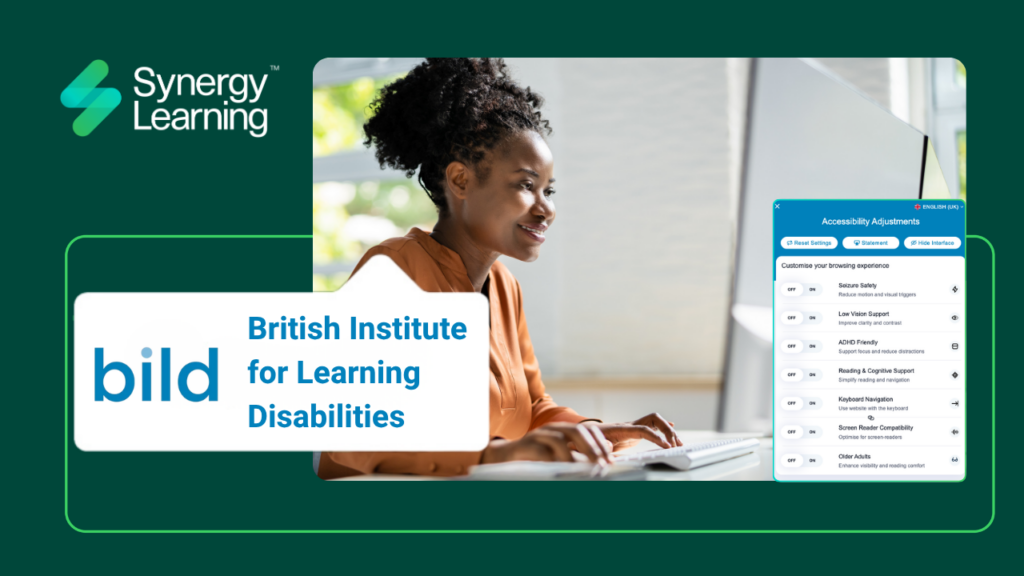
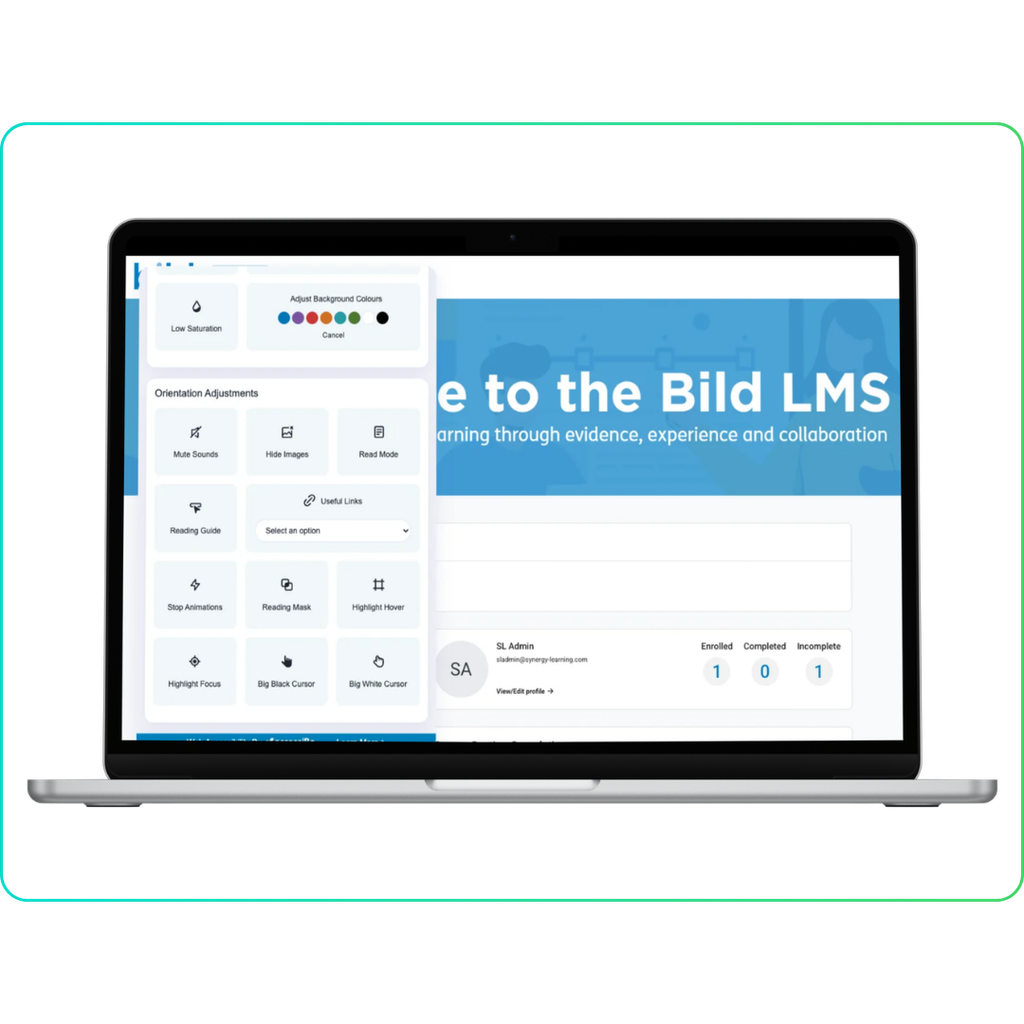
Giving learners the power to take control of their learning experience with accessWidget, the AI-powered web accessibility and compliance solution for Learning Management Systems.
About Bild
For 50 years, the British Institute of Learning Disabilities (Bild) has been a national charity dedicated to protecting and supporting the rights of people with learning disabilities. Bild champions a fairer, more equal society where everyone enjoys the same rights and opportunities.
Working in close partnership with people with learning disabilities and autistic people, Bild draws on robust research and evidence to identify and promote best practice. By providing workforce development qualifications, training for family carers, and organisational consultancy, Bild ensures that individuals receive the right kind of support to make confident choices and decisions about the things that affect their lives.
The Solution: Moodle & accessWidget from Synergy Learning
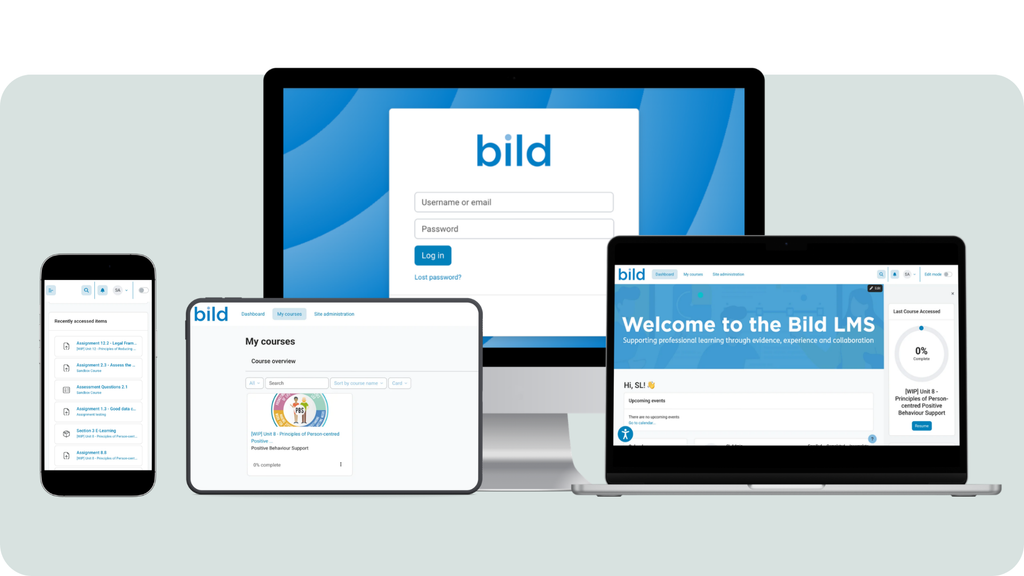
To support their mission, Bild partnered with Synergy Learning to consolidate their fragmented learning systems into a unified Moodle platform. A cornerstone of this transformation was the integration of accessWidget (by accessiBe).
Accessibility is not just a nice-to-have; for many sectors it is now a legal requirement. Organisations face growing legal, ethical, and usability pressures to make content inclusive for all learners.
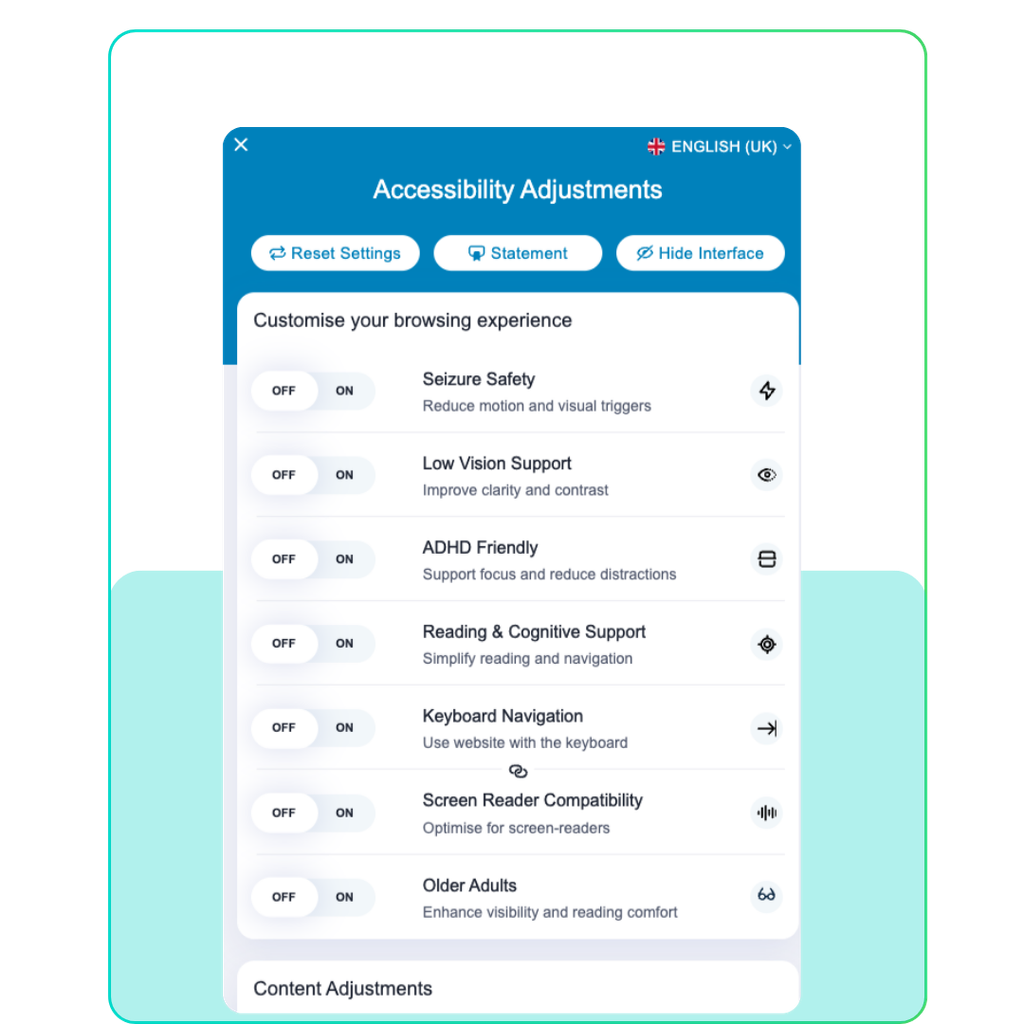
Synergy Learning integrates accessWidget seamlessly into Moodle, Totara, and Moodle Workplace to ensure platforms comply with WCAG 2.1, EAA, and other global accessibility standards.
Key benefits of the accessWidget include:
- ✅ Real-Time Fixes: Automatically scans and resolves accessibility issues in real-time.
- ✅ Customisable UX: Empowers users with visual profiles to adjust contrast, font size, spacing, and more.
- ✅ Continuous Compliance: Monitors the LMS around the clock to maintain adherence to accessibility standards.
- ✅ Reporting: Automatically generates accessibility statements and impact reports.
- ✅ Global Reach: Supports 33 built-in languages to cater to a diverse learner base.
Q&A: In Conversation with Bild
We spoke with John White, Head of Training and Qualifications at Bild, to understand how consolidating their LMS and integrating accessWidget has transformed the learning experience for their 600+ learners.
Background & Challenge
Why did you decide to consolidate your learning platforms?
When I first arrived at Bild, we were operating across two separate Learning Management Systems. It quickly became clear that we needed to streamline our operations. It made perfect sense to consolidate our infrastructure into a single, trusted, and familiar system like Moodle.
We needed a platform that was fundamentally future-proofed, one capable of meeting our immediate operational needs while scaling alongside us in the years to come.
How was the dual-system setup limiting learner inclusivity?
Our previous dual-system setup simply could not provide the fully accessible interface our 600+ learners required.
For an organisation that has spent 50 years championing the rights of people with learning disabilities, prioritising accessibility is non-negotiable. It isn’t just about being digital-first or ticking compliance boxes; it is about ensuring our platforms reflect our core vision of a fairer, more equal society.
We needed a tool that takes a strengths-based approach, providing the right kind of support so our learners have the power to make independent choices about how they interact with our content.
Platform Specifics & Accessibility
How has accessWidget changed your approach to accessibility compliance?
The introduction of the accessibility widget was a brilliant, unexpected win during this project.
Historically, learners have had to rely on reactive “reasonable adjustments”—fixing things only after a barrier is identified. The widget allowed us to move away from that model entirely.
We now have built-in tools that automatically comply with accessibility legislation, allowing us to be proactive. More importantly, it gives our learners the autonomy to choose exactly what works best for them.
What is the administrative experience like with the accessWidget?
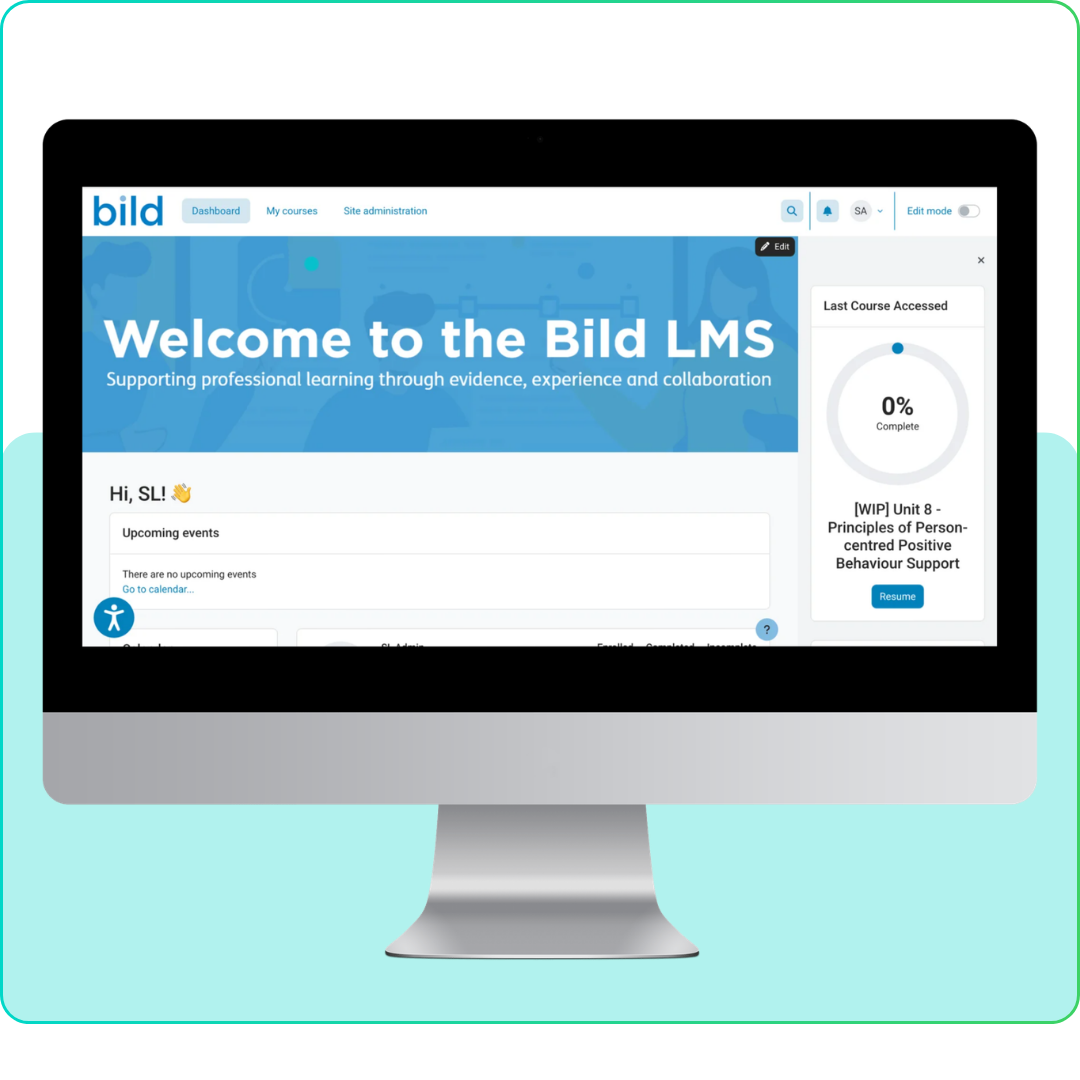
From an admin perspective, we absolutely love the “no-nonsense” design of the user interface. It is highly elegant and uncluttered.
Because it has such a logical flow, it was incredibly easy to set up. People can quickly get to grips with the widget and immediately understand how it can help them day-to-day.
How does self-managed accessibility impact learner dignity?
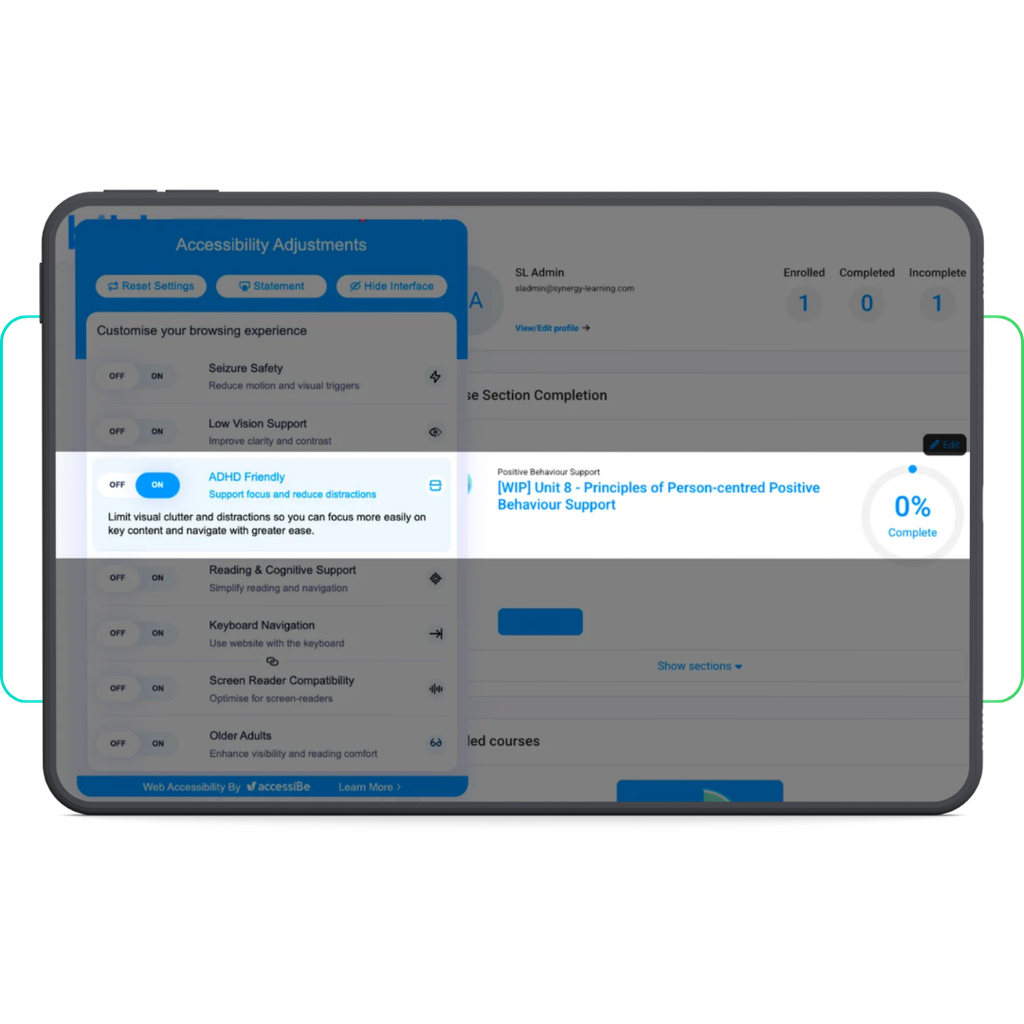
This is perhaps the most vital benefit. The widget enables learners to quietly adjust their own environment. Whether that means turning on screen readers or using the ADHD focus bar without feeling embarrassed or feeling forced to formally declare their access needs.
By allowing learners to control their own narrative and make the system work for them, we are providing dignity alongside accessibility. As a bonus, we’ve found that tools like the ADHD focus bar have been incredibly popular and useful for our own internal team members, too.
Usability & Impact
What has the learner feedback been like so far?
The response has been fantastic. We showcased the live page and demonstrated the widget’s capabilities to our April cohort learners during their induction. You could see the immediate relief and excitement in the room. Being able to show our learners from the very beginning of their journey that we not only want to meet their needs, but that we want to do so in a respectful, proactive, and empowering way, has been incredibly rewarding.
What’s next for your LMS platform?
Why is continuous UX optimisation a priority for your Learning Management System?
Our digital environment will always be a work in progress.
As we prepare to move to Moodle 5, our immediate focus is on ensuring the platform remains completely stable throughout this year. Looking ahead to next year, we will be heavily focused on refining the user interface to reduce the number of clicks required to access resources. We want to make finding materials faster, more intuitive, and as accessible as possible for absolutely everyone.
How will Moodle support your scaling cohorts next year?
As we look to scale our Level 4 and Level 5 qualification cohorts, having a unified Moodle environment gives us the solid foundation we need.
It is an ongoing, collaborative process as we transition fully, but we now have the right infrastructure to support that sustainable growth.
What has it been like partnering with Synergy Learning?
It has been a genuinely great experience working with Synergy Learning on this change project.
Nothing has been too much trouble; they have taken a highly collaborative approach, and any minor issues have been ironed out incredibly quickly. They truly understand our mission and what we are trying to achieve.
Summary
Accessibility isn’t just a legal requirement; it’s the foundation of an empowering learner experience. As Bild has shown, putting control back into the hands of learners transforms how they engage with your LMS platform and your eLearning content.
Ready to make your LMS accessible?
If you want to move beyond reactive adjustments and build a truly inclusive environment, let’s talk.
Get in touch with the Synergy Learning team today to discuss how we can transform accessibility for your LMS platform.