
18 March 2026
What is a learning management system (LMS)?
This article explores what a learning management system is and how an LMS can benefit your organisation.
Are you thinking about getting a learning management system? If so, you might be wondering what exactly an LMS is and how it would benefit your organisation.
In this article, we’ll explore what an LMS is, all the key functions it performs, and what this means for your learning and development programme.
What is LMS?
A learning management system or LMS is a platform used to manage the learning you want to deliver to an audience of users.
It is a piece of software that can typically be used to create, manage and deliver a wide range of courses, learning resources and training programmes.
The main objective of an LMS is to create a centralised hub to manage, deliver and track learning.
Although this key functionality is the primary purpose of a learning management system, behind this main objective are several other reasons for having an LMS.
- ✅ Enhancing the learning experience for learners
- ✅ Delivering, tracking or improving compliance training
- ✅ Upskilling or reskilling employees
- ✅ Increasing staff retention
- ✅ Cutting training costs
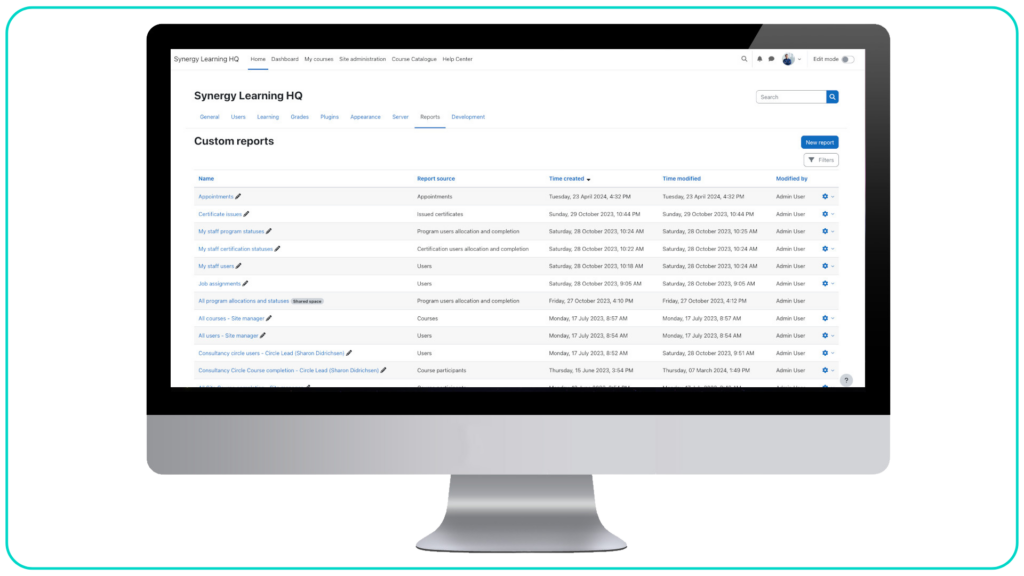
An LMS also includes tools to assess, track and generate reports based on learner progress.
Who uses an LMS?
This includes corporate enterprises, small or medium-sized businesses, public sector bodies, charities and non-profits, and educational institutions.
An LMS is useful for any organisation that needs to deliver training or learning to a group of people.
Usually, though not always, the learning in question is online learning.
As for the learners, they could be employees, students or even customers.
People using an LMS can be anybody that a particular organisation wants to educate or train.

What is an example of an LMS?
Moodle and Totara are both examples of popular LMS.
Both are learning management systems used by organisations to manage and deliver their learning and development programmes.
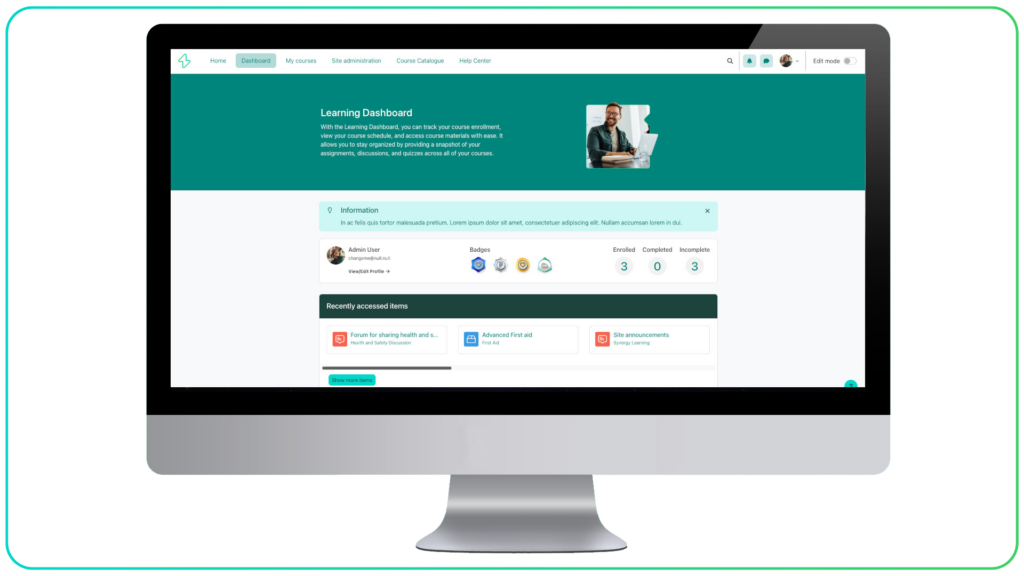
Moodle LMS
Moodle LMS is a versatile learning management system trusted by hundreds of thousands of educators around the world.
It offers everything you need to educate, monitor and support your users.
This includes the features and functionality to create courses, manage enrolment, deploy various learning activities and track performance
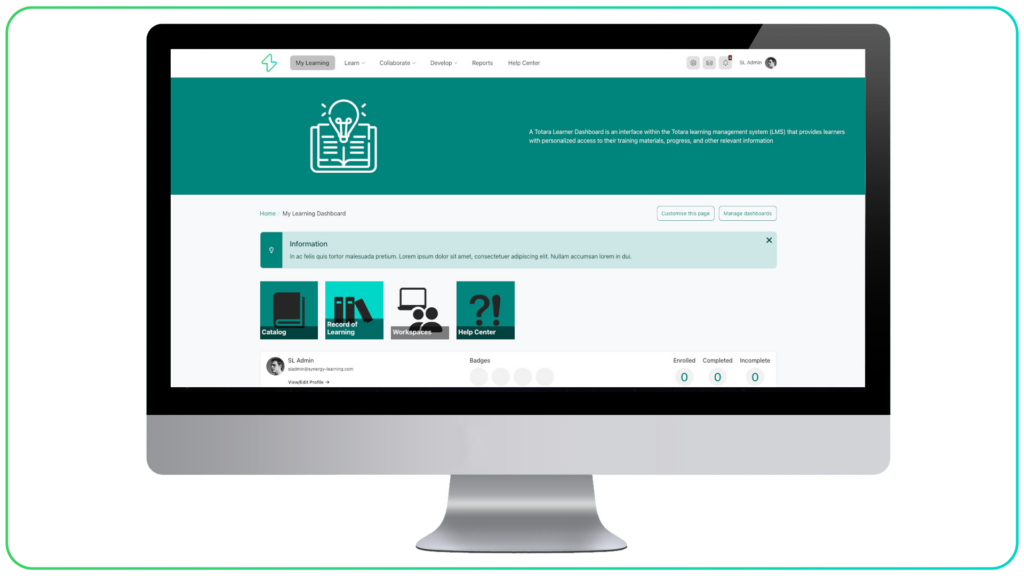
Totara LMS
Totara Learn is a fully customisable enterprise learning management system.
It offers the flexibility to create bespoke learning environments, build intuitive training pathways, and optimise performance across your organisation.
Used by more than 20 million users worldwide, Totara makes it easier to deliver, measure, brand and track your L&D programme.
What are the different types of LMS?
There are different types of learning management systems to suit the different priorities of the organisation in question. Some of the key types of LMS include SaaS LMS, open-source LMS, on-premises LMS and custom LMS. There are overlaps between these LMS types.
SaaS LMS
A software-as-a-service (SaaS) LMS is usually a cloud-hosted LMS. It is typically delivered via managed LMS hosting, with admins and users accessing it remotely.
Open-source LMS
An open-source LMS, such as Moodle LMS, is available for anybody to download. But it usually requires the support of a Moodle partner to ensure the LMS reaches its potential.
On-premises LMS
An on-premises or self-hosted LMS is a learning management system that is hosted on an organisation’s own servers. It could also be a SaaS and open-source, but the specific installation is hosted behind the organisation’s firewall
Custom LMS
A custom LMS or bespoke LMS is built specifically for the organisation. It could be built from scratch or adapted from an open-source LMS.
LMS Features
An LMS does a wide variety of things to support or enhance the delivery of a learning and development programme.
Beyond the main purpose of delivering learning, an LMS performs several roles that assist in the management of all aspects of an organisation’s learning processes.
Let’s have a look at some of the practical things that an LMS does.
Hub for learning
In some respects, you can think of an LMS as being the technological equivalent of a training centre or school. It performs the functions of an enrolment centre, lecture hall, classroom, seminar room, coursebook, workbook, noticeboard and much more.
So, a key role of a learning management system is to provide a hub through which the things that would normally be done in those rooms can be achieved digitally. It also stores all the vast amounts of information you might expect to be used in any of those rooms. That means your LMS is a place where:
- ✅ Educators and administrators can manage and host courses.
- ✅ Learners can browse and enrol on courses.
- ✅ Learners can undertake courses and access learning materials.
- ✅ Learners can communicate with their teachers and their peers.
- ✅ Teachers can monitor the progress of learners.
Course catalogue
An LMS is a place where all of the courses and resources your learning and development programme delivers can be hosted, edited and browsed.
This e-learning material can include relevant videos, podcasts, blog posts and other media that can be collated together to build comprehensive learning materials on specific topics.
Once all the courses and resources are in place, the LMS serves as a catalogue where your learners can browse the learning options available to them. In that sense, it almost doubles up as a prospectus.
This places all learning materials in a single place, where they can be found by anyone who needs to access them. It puts an end to disjointed course management that varies between different members of staff and departments.
Complex chains of manuals and spreadsheets can be replaced by a single, uniform structure. In this way, an LMS is a useful tool for providing consistency and sustainability in your learning, regardless of staff illness or personnel changes.
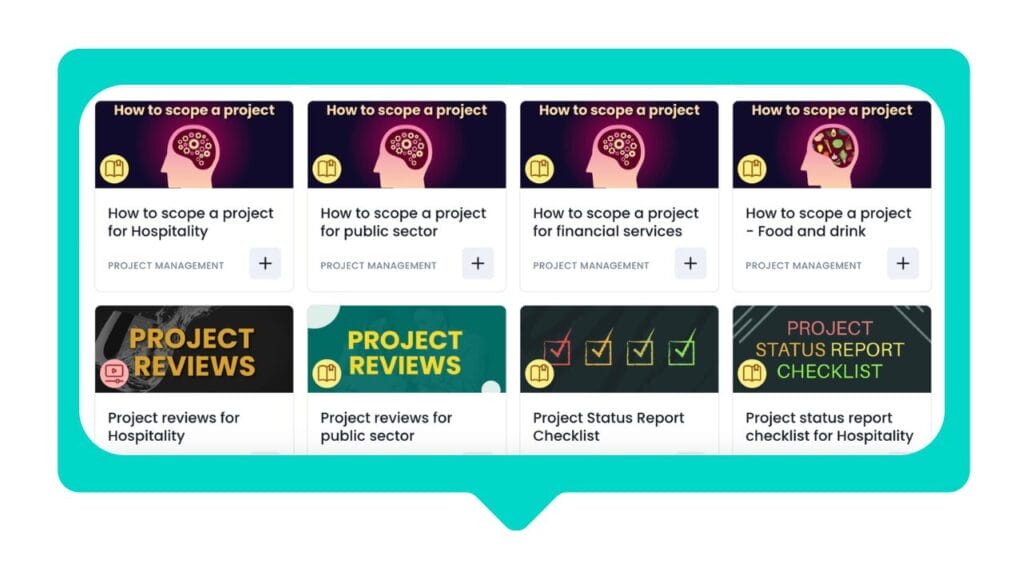
Learning enrolment tool
When a learner finds a course they want to take, the LMS becomes an enrolment tool. It could become a self-enrolment tool, with learners signing up to courses and training events they want to attend.
Depending on the LMS you’re using, it could equally become an automated enrolment tool in which your learners are automatically signed up for a course or sequence of courses that are relevant to their role, studies or interests.
Signing up to an LMS might involve a simple registration process or could be done automatically by integrating an LMS with an existing system that is used by all learners.
Automating L&D admin
We’ve touched on this in relation to enrolment, but there are many other things that an LMS can automate. Learning pathways and reporting are other examples of areas in which time-draining admin can be easily automated by a learning management system.
The result is that an LMS has the potential to save your organisation huge amounts of time (and therefore money) that would otherwise be spent on very basic administrative tasks.
Delivering learning
With your courses set up and your learners enrolled, your LMS can take on what is perhaps its most important role: delivering learning to your learners.
With an LMS, geography and time don’t matter. Your learners’ classroom can be anywhere in the world, and lessons can start at any time of the day or night that suits them.
Quizzes, tests and any other method by which you want to measure learning are all completed within the LMS. For your learners, there are no complicated submissions – it’s all in one place and is completed while signed into the LMS.
Reporting on L&D
A learning management system contains a wealth of data on just about every aspect of the learning that is being undertaken (or, just as importantly, not being undertaken). It’s impossible to cover everything that an LMS can help you find out about your learners, but here are some very simple examples:

- ❇️ Users yet to complete a mandatory course
- ❇️ Learners who have completed training to a particular standard
- ❇️ Learners falling behind on a course
- ❇️ Which learners are underperforming or getting low scores
- ❇️ The most popular courses
- ❇️ Which learners are engaging with group activities
These examples demonstrate how useful an LMS is in ensuring compliance with professional, legal or safety standards; identifying skills gaps within an organisation; succession planning; and intervening with particular learners when necessary.
Your organisation might have a very specific question to answer or an auditing requirement to meet. If it’s done via the LMS, you will be able to export that data in a report.
Reporting is another area in which LMS automation can save time and money. You can build reports that are automatically produced as regularly as needed. This might include detailed reports on a particular course or department, or an overview of learning across the organisation.
So, once a month, you can send your head of IT an automated report on compliance in the IT department. You can send the senior management team a weekly report on learning across the organisation. An LMS makes it easy to get relevant learning data to the people who need to see it.
Tracking learners
It’s a similar point to the LMS as a reporting system, but still a point worth making. Whether it’s a high-level view of the organisation or the specific case of an individual learner, an LMS allows you to monitor what’s going on in your organisation.
You can spot issues before they become major problems and take action to address them. That might be providing extra support to a learner who is in danger of failing a course, targeting training to close a skills gap in the organisation, or taking action against a specific department that isn’t taking its learning obligations seriously.
Managing L&D data
We’ve discussed a fraction of the vast amount of data that can be generated by using an LMS. As well as generating and reporting on this data, an LMS also provides a secure and scalable platform in which to store all of that data about your learners.
Encouraging communication
An LMS is a place where your learners can communicate with educators and fellow learners. You can choose the communication methods that are best suited to your organisation. Instant messaging, forums and video conferencing are some of the communication tools that can be embedded within LMS.
This serves to:
- ✅ Encourage engagement with the platform among your learners.
- ✅ Give learners a simple way of contacting teachers to ask questions.
- ✅ Promote peer-to-peer discussions and feedback.
- ✅ Formalise the appropriate channels of communication around learning.
By promoting the channels through which you want communication to take place, you lower the chance of potentially important insights from your learners being lost in private WhatsApp or email conversations and instead encourage them to be shared with your learning community.
Certifying and rewarding learners
Your learners can use the LMS to monitor their progress, check their results and obtain certification relating to your courses.
Many learning management systems include a learner dashboard that collates all relevant information relating to an individual’s learning, including a progress bar or chart showing how close they are to completing their current course.
Once they’ve completed a course, learners can be rewarded with badges and certifications within the LMS.
Cutting training costs
Learning management systems are also firmly established in the corporate world as a preferred way of delivering learning to employees.
One of the many benefits of an LMS is that it cuts out the travel time, costs and disruption associated with trips to HQ or a training centre to undertake training. With an LMS, training can be completed in any location at a time that suits the individual employee and the organisation. It can be postponed at short notice at no cost to the organisation.
An LMS also makes the administration and management of workplace learning far easier for HR and L&D professionals.
Onboarding, compliance training, learning pathways and certification are just a handful of processes that can be easily automated using an LMS.
What is a learning management system going to mean for your organisation?
That’s an overview of some of the main roles performed by a learning management system.
So, what is a learning management system?
The short answer is that it’s a platform for managing and delivering learning. The longer answer is that it is a versatile platform capable of performing a wide variety of different roles depending on the needs of your organisation and its learners.
It’s worth considering that different types of LMS have different features, which may impact their role.
An LMS equipped with everything one organisation needs might be totally unsuitable for another.
At Synergy Learning, we’re not tied to any single LMS, so we will always guide you towards the technology that’s right for your requirements.
Ready to get started on your LMS project?
If your starting from scratch with an LMS and you need guidance on where to begin, book a meeting with a member of the team to get started.